



Emargy Mail
Email app for Windows
All your mailboxes in one calm place
Group your accounts by project, each with its own colour and signature. Your mail stays encrypted on your PC, with no Emargy account and no tracking.
Free · Windows 10 and 11 · English and Arabic
01
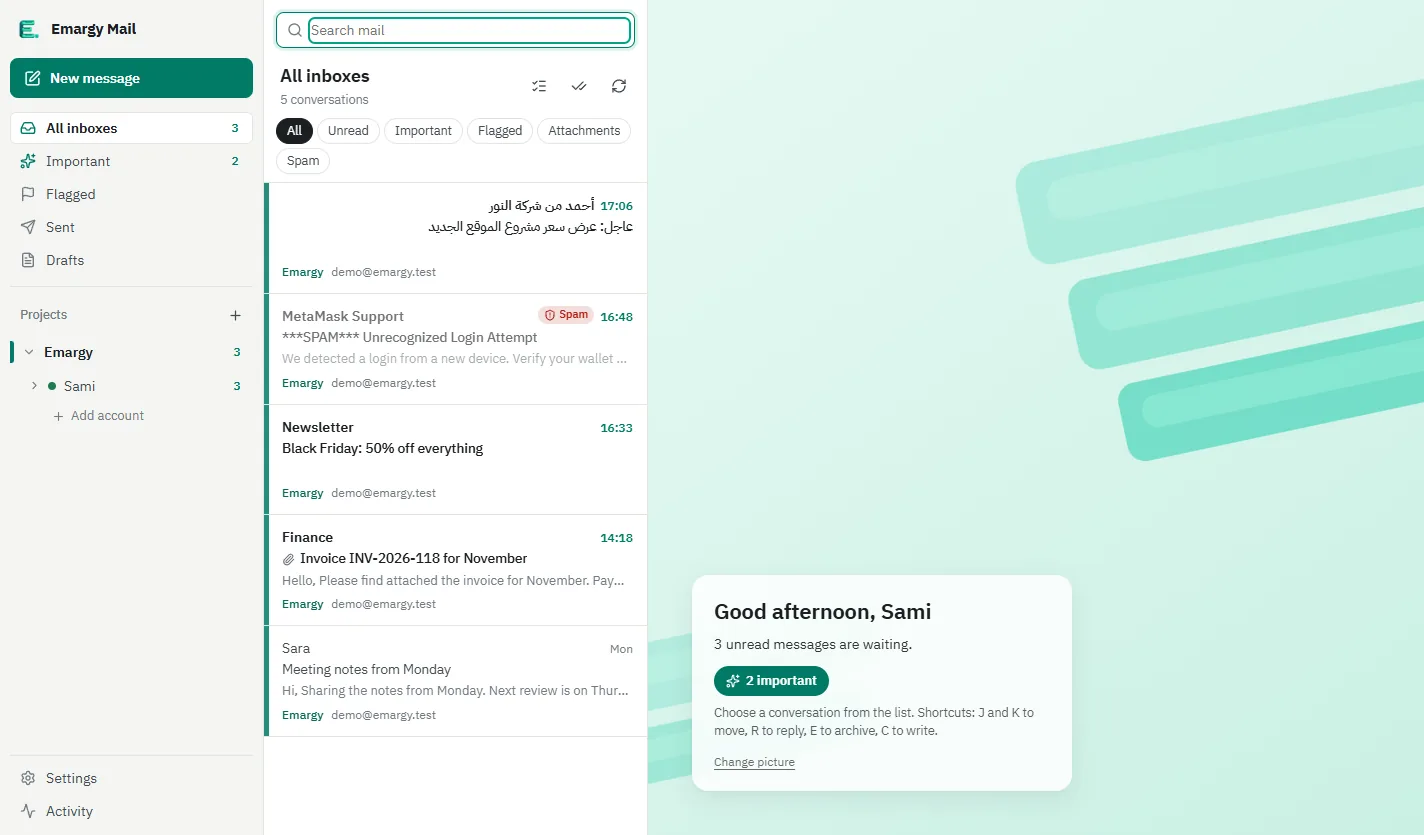
Know what to trust before you open it
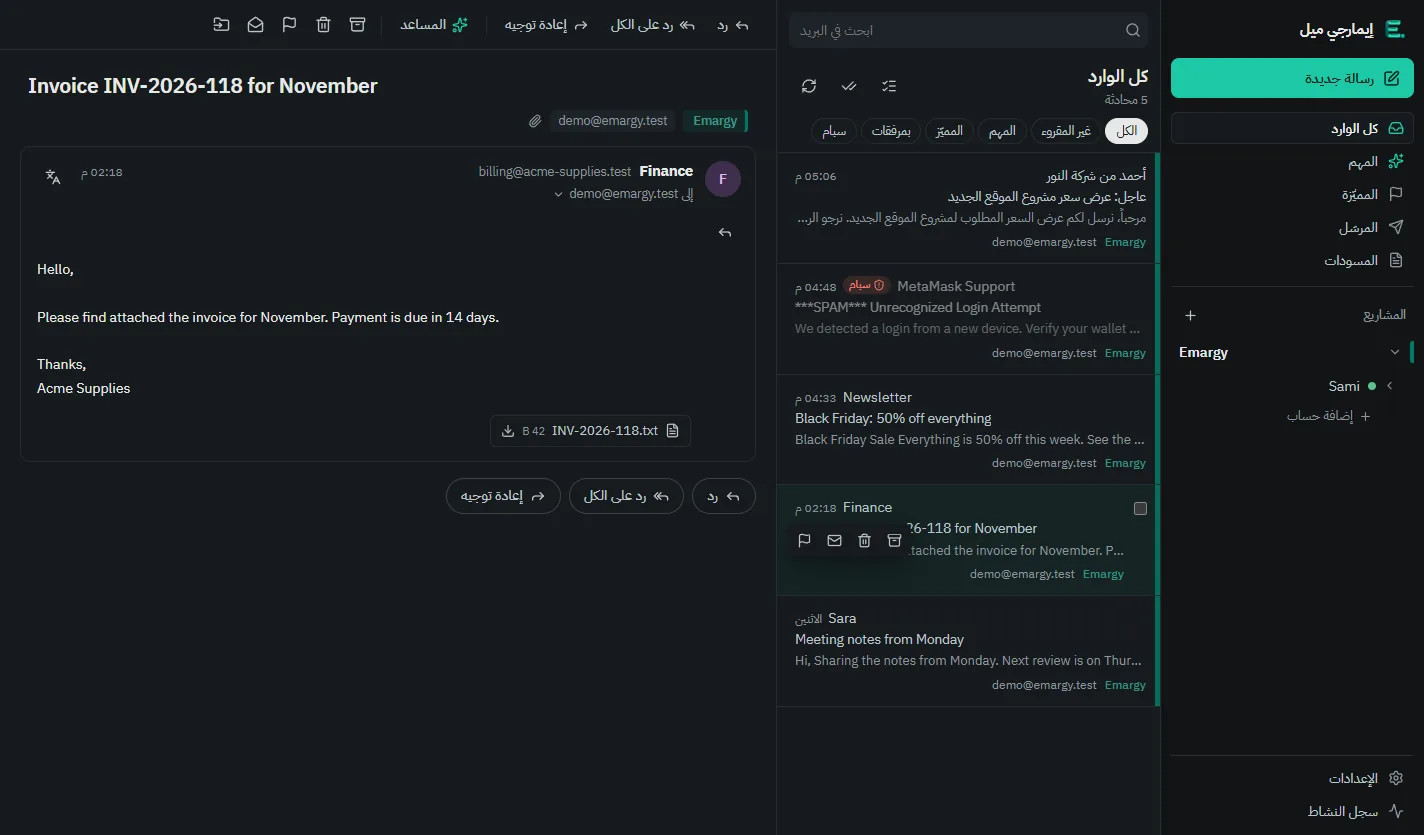
Spam and suspicious mail get a clear badge, and senders verified by a DKIM signature are marked, so a phishing message is easy to spot.
- A plain warning above suspicious mail
- A badge for verified senders
- Remote images blocked until you allow them
02
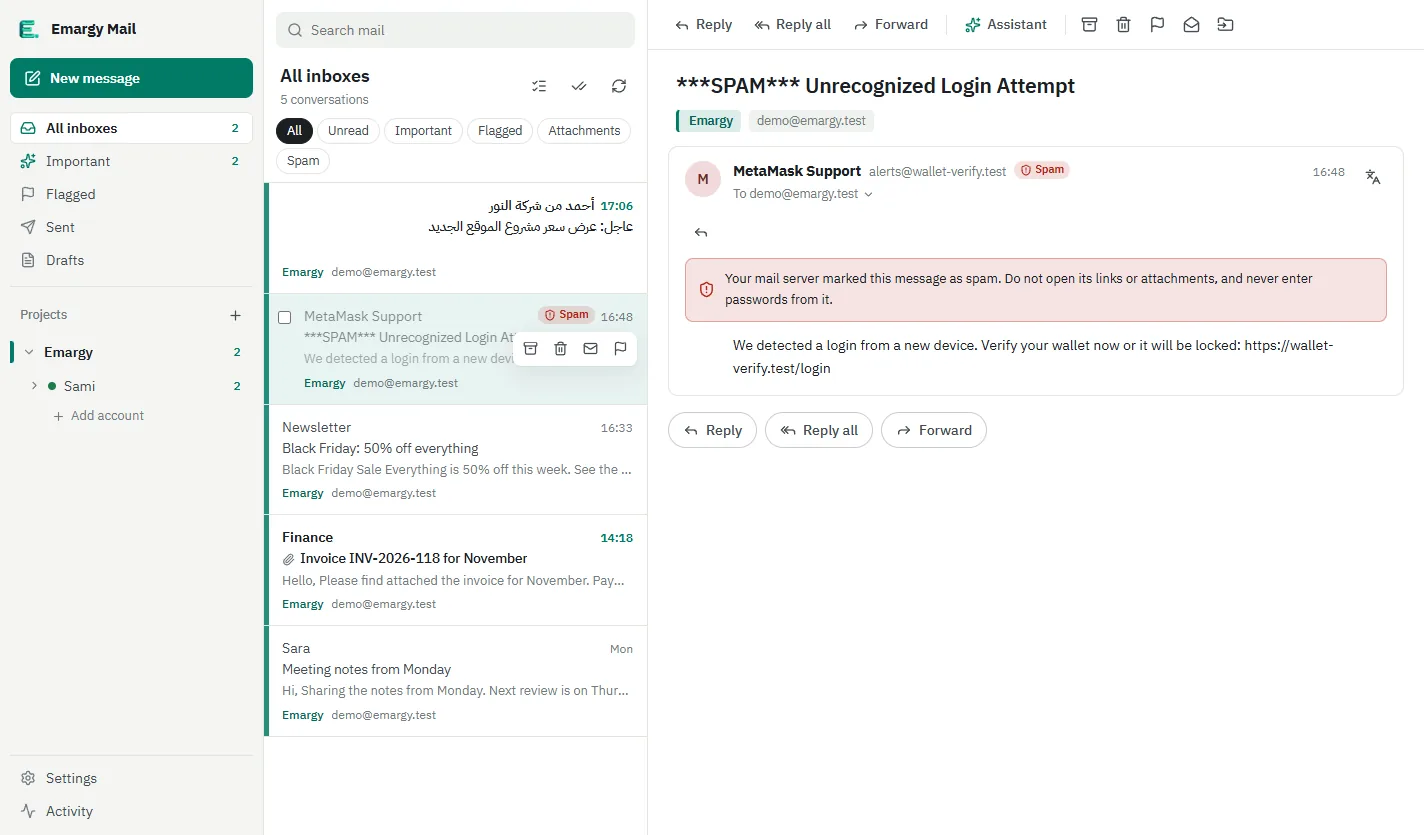
Replies with the right signature
Write formatted replies that carry the right project signature automatically. If you like, translate, summarize or draft with the Claude or ChatGPT app you already have.
- A signature and colour per project
- A rich text editor
- An optional assistant that sends nothing until you click
03
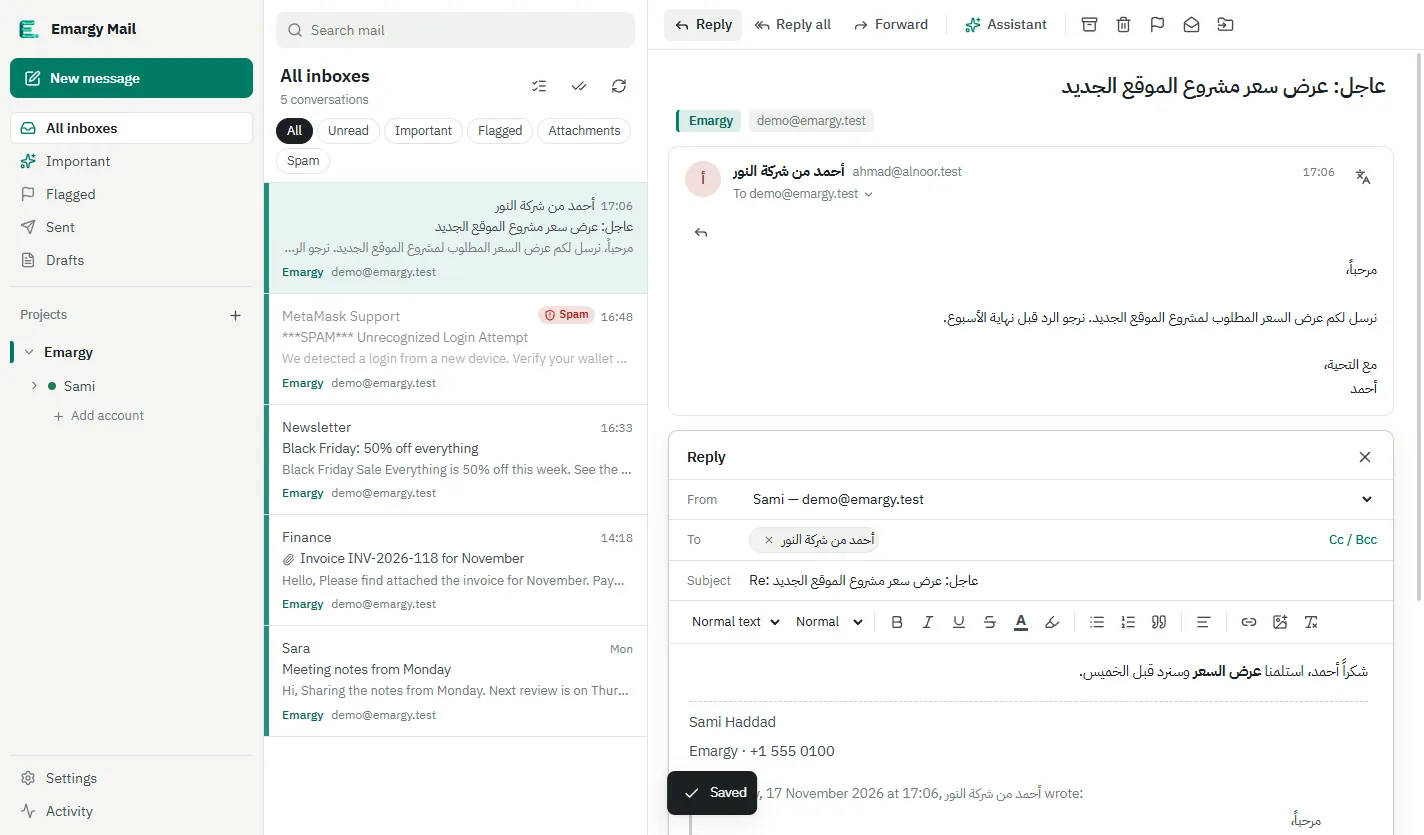
Only the notifications that matter
Choose what is allowed to interrupt you. Quiet hours, a mute for a whole project, and an unread count on the taskbar.
- Important-only mode
- Daily quiet hours
- Mute a project in one click
04
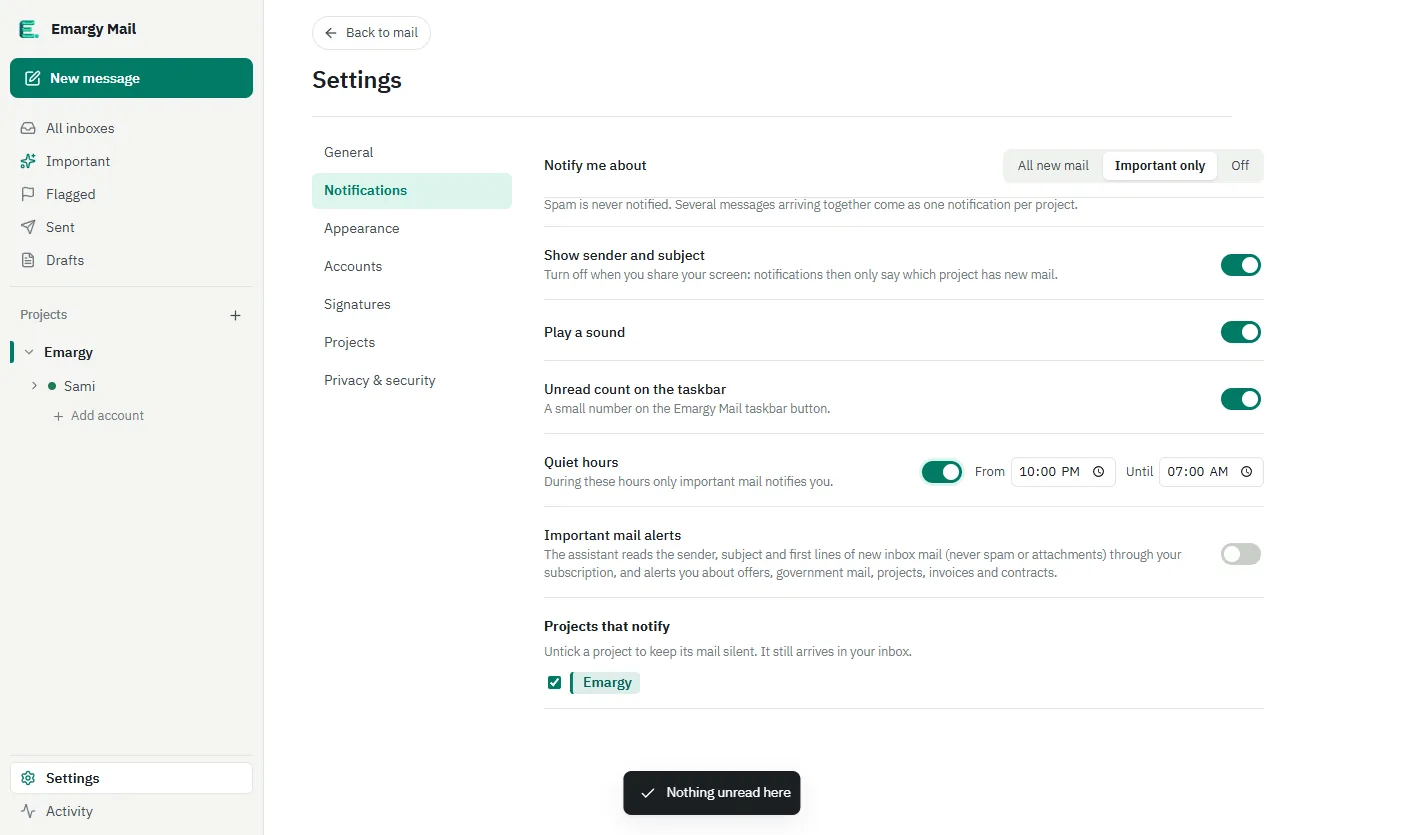
English or Arabic, day or night
A full English interface and a right-to-left Arabic one, a dark theme that is easy on the eyes, and search that reaches older mail on the server.
- Right-to-left Arabic interface
- Light and dark themes
- Search your PC and the server together
Your mail never passes through us
The app talks straight to your mail provider. We never receive your messages, never store them and never track how you use the app.
Privacy policy- Encrypted on your PC
- Messages and passwords are stored on your PC with AES-256 encryption, and Windows protects the key.
- No Emargy server
- You never need an Emargy account, and your mail never touches a server of ours.
- No analytics, no ads
- Nothing in the app sends usage data anywhere.
Works with the mail you already have
Gmail
With an app password, and a step-by-step guide inside the app.
Outlook and Microsoft 365
Sign in with Microsoft for Outlook.com, Hotmail and work accounts.
Any IMAP/SMTP mailbox
Your company mail on cPanel or any host, with the server settings found for you.
Common questions
Is it free?
Yes. It is completely free on the Microsoft Store, with no subscription and no ads.
Where is my mail stored?
Only on your PC, encrypted. The app connects straight to your mail servers and never through an Emargy server.
How do updates arrive?
The Microsoft Store updates the app automatically, so you never need to download a new version by hand.
Is the code really open?
Yes. The full source code is published on GitHub under the AGPL-3.0 licence, so anyone can review it.
Do I need an AI subscription?
No. The assistant is optional and only works if Claude or ChatGPT is installed with your own subscription.
Try it today, for free
Install it from the Microsoft Store and add your first mailbox in under a minute.